
WiFi Pet Camera Review: What Forum Threads Actually Say After Months of Use
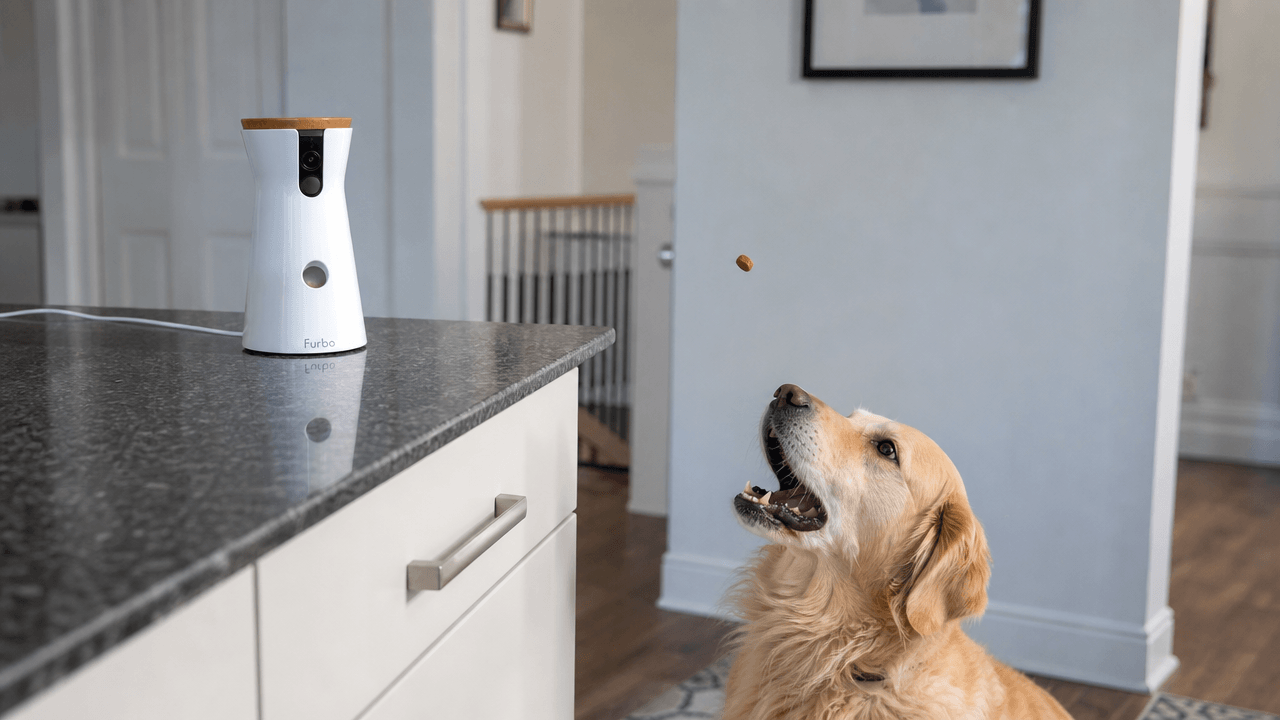
A Golden Retriever forum thread asked a simple question a few years back: is the Furbo dog camera actually worth it? The replies are basically a perfect snapshot of what this whole category comes down to. One owner said the treat-tossing and barking alerts are the only features they actually use. Another said they almost bought one, then backed out the second they found out about the monthly subscription. A third said their dogs spend most of their time completely off-camera anyway, so the $150+ price tag never made sense for their setup.
That’s the real range you’re working with in any wifi pet camera review worth reading — not “is it good,” but “good for what, exactly, and is the subscription actually buying you something.” Here’s what genuinely happens after living with these things for months, pulled from forum threads, BBB complaints, and independent lab testing instead of just spec sheets.
Quick Answer: Choosing the Right Setup
| Your Situation | What to Know |
| Want treat-tossing + bark alerts | Furbo’s most-loved features, work fine without the subscription |
| Want cloud recording / advanced alerts | Requires the Furbo Dog Nanny subscription (~$6.99–9.99/month) |
| Want a fixed camera, no treats | Cheaper options (Ring, Wyze) do this for less |
| Worried about your dog being anxious | Two-way audio can backfire — see the vet-sourced nuance below |
| Multiple cameras, one account | Furbo’s subscription tiers have caused real billing confusion — check this before buying a second unit |
Table of Contents
- The Subscription Question, Settled by Real Owners
- The Two-Way Audio Problem a Vet Actually Flagged
- The Setup Issues Every WiFi Pet Camera Review Should Flag
- Multi-Camera Billing Complaints Worth Knowing Before You Buy a Second Unit
- Comparison Table
- The Good, The Bad, and The Verdict
- US vs. Australia vs. Singapore: What Changes
- The Verdict
1. The Subscription Question, Settled by Real Owners

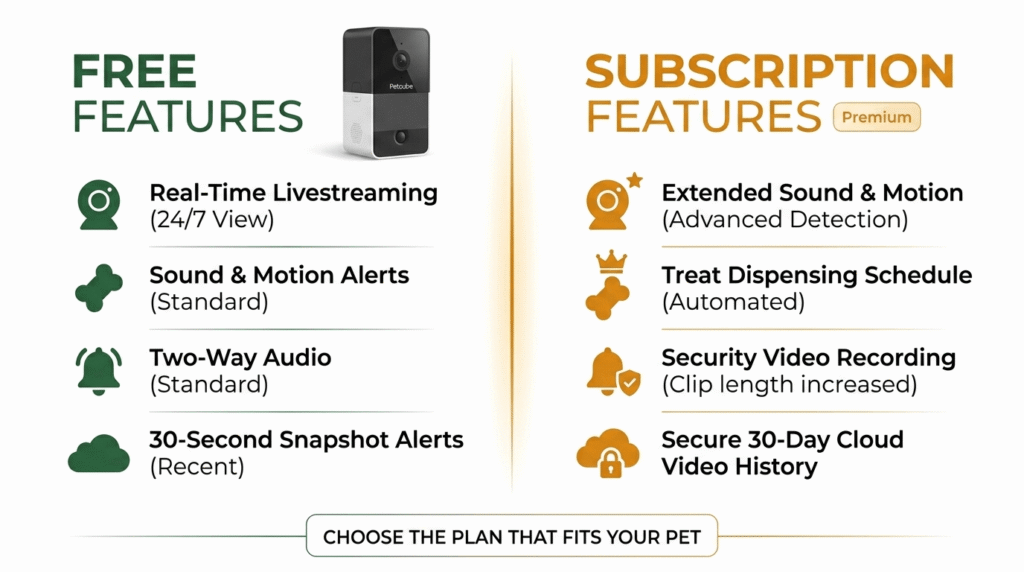
When putting together a comprehensive wifi pet camera review, the first thing to evaluate is the long-term cost. The core features that make Furbo’s camera distinct from a generic security cam — live treat tossing, two-way audio, and basic barking alerts — work without paying anything extra. The subscription (Furbo Dog Nanny, roughly $6.99–9.99/month depending on plan) unlocks cloud recording, advanced bark/howl/cry detection, person alerts, and a daily highlight reel called the Doggie Diary.
Real owner sentiment on this splits cleanly based on what they actually need:
- The No-Subscription Fan: One Golden Retriever forum poster who owns a Furbo without the subscription said flatly that they “LOVE it” — the treat-tossing and barking alerts are what gets used daily, and the basic accuracy on bark detection was described as “SUPER accurate.”
- The Subscription Rejector: Another owner in the same thread skipped the purchase entirely the moment they learned about the recurring fee, even though, by their own math, it worked out to roughly $6 a month — not expensive, just an extra subscription they didn’t want to track.
- The Standard Cam Alternative: A third perspective worth taking seriously: one owner compared the Furbo against two Ring cameras they already had pointed at favorite dog spots, and concluded the Furbo wasn’t worth the premium for their situation — partly because, as they put it, their dogs often rest quietly off-camera anyway, and they didn’t want to disturb a calm, settled dog just to toss a treat for the sake of checking in.
2. The Two-Way Audio Problem a Vet Actually Flagged
This is the nuance most marketing copy skips entirely. Two-way audio — being able to talk to your pet remotely — sounds like a pure comfort feature. In practice, independent testing from CNN Underscored included direct input from a veterinary expert noting that not every pet responds well to a disembodied voice coming from a box with no visible owner attached. For some pets, hearing your voice without seeing you can create more confusion or agitation than reassurance, not less.
This tracks with a real account from a Refinery29 reviewer testing the Furbo with her rescue dog: she described the two-way audio as “somewhat helpful” in calming him down in the moment, but also noted it visibly confused him — he reacted as if trying to figure out where she actually was. Worth genuinely testing with your specific pet’s temperament before assuming the feature will help across the board.
3. The Setup Issues Every WiFi Pet Camera Review Should Flag
A few real, specific technical limitations show up consistently across independent reviews (SafeWise, Consumer Reports, Canine Journal). Any honest wifi pet camera review needs to highlight these daily workflow hurdles before you buy:
- Placement is more restrictive than it looks: The camera needs to sit within roughly 15 feet of your WiFi router and within about 6 feet of a power outlet — for many homes, that limits you to one or two realistic placement spots, not “wherever your dog hangs out most.”
- 2.4GHz WiFi only: Like several other connected pet devices in this category, Furbo won’t connect to a 5GHz-only network. Check your router before assuming setup will be painless.
- No vertical tilt: The 360° models rotate horizontally but can’t tilt up or down, so placement height matters — too low or too high, and you lose the actual viewing angle you wanted.
- No backup power: A power outage means a dead camera until power returns, with no battery buffer in most models.
4. Multi-Camera Billing Complaints Worth Knowing Before You Buy a Second Unit
This is a real, documented pattern worth flagging directly: multiple Better Business Bureau complaints describe confusion and frustration over Furbo’s subscription tiers when adding a second camera to an existing account — one customer described being told their existing “Pro” subscription wouldn’t automatically cover a newly purchased Mini camera, and that adding it would require effectively paying for an extended, overlapping subscription period rather than a clean add-on.
If you’re planning to scale up to multiple cameras under one account, it’s worth contacting support directly to confirm exactly how your specific existing plan handles a new device, rather than assuming it’ll be seamless based on the marketing copy.
5. Feature Tier Comparison
The breakdown of feature accessibility generally trends as follows across today’s major pet camera hardware ecosystems:
| Camera | Free Features | Subscription Unlocks | Real-World Limitation |
| Furbo 360°/Mini with subscription, without subscription | Live view, treat toss, 2-way audio, basic bark alerts | Cloud recording, advanced alerts, Doggie Diary | 2.4GHz WiFi only, 15ft router range, no vertical tilt |
| Petcube | Live view, 2-way audio, laser toy (model-dependent) | Cloud storage, vet chat add-on (model-dependent) | Treat-tossing only on select models |
| Ring camera Wyze camera (General security) | Live view, motion alerts | Cloud storage subscription | No treat dispenser or pet-specific bark detection |
6. The Good, The Bad, and The Verdict
The Good
Across multiple independent test panels and real forum threads, the core treat-tossing and bark-alert features consistently get singled out as the actual reason people keep using these cameras daily — not the premium subscription tier. Consumer Reports’ hands-on test found both a dog and a cat genuinely enjoyed the treat function without being startled by the dispensing sound, and called it their top pick among the cameras tested.
The Bad
The subscription billing confusion documented in BBB complaints is a real, recurring pattern, not an isolated incident — and the technical constraints (2.4GHz-only WiFi, fixed placement range, no vertical tilt) are genuine limitations that show up across multiple independent reviews, not just marketing fine print.
The Verdict
Worth it specifically for the treat-toss-and-bark-alert combination, which independent testing and real owner forums consistently agree on. Skip the subscription unless you specifically want cloud recording or advanced alert types — the core experience doesn’t require it. And if your dog tends to settle quietly out of camera view, be honest with yourself about whether you’ll actually use this daily, or whether a couple of cheaper, fixed security cameras covering more of your home would serve you better.
7. US vs. Australia vs. Singapore: What Changes
A comprehensive wifi pet camera review that only covers the US misses real subscription-availability gaps elsewhere.
- United States: Furbo Dog Nanny subscription is fully supported, with the widest camera selection through Chewy and Amazon.
- Australia: The Furbo Dog Nanny subscription is officially supported in Australia, alongside the US, Canada, UK, France, and Germany — so AU buyers get full feature parity. Camera hardware works internationally, but you’ll need a Type I plug adapter if importing directly from a US listing rather than buying through an Australian retailer.
- Singapore: This is worth flagging directly: Singapore isn’t on Furbo’s officially listed subscription-supported country list. The camera hardware itself should still function (it connects over WiFi, not a local carrier network), but anyone in Singapore relying on the Dog Nanny subscription specifically should confirm current regional availability before buying, since official support can change. Singapore uses 230V/50Hz with Type G plugs, so a US-bought unit needs a plug adapter at minimum.
8. Final Thoughts and Summary
To wrap up this wifi pet camera review, our honest read on this category is backed by real forum sentiment rather than marketing copy: buy for the treat-toss and bark-alert combination, treat the subscription as optional rather than essential, and actually think through where your specific pet spends time before assuming a camera with a narrow field of view will catch what matters. The technology works. Ultimately, this wifi pet camera review concludes that whether it’s worth the price depends entirely on whether your pet’s daily habits put them in frame.
If you like this post, you might like our gadgets section => New Gadgets