PETKIT PuraMax Sensor Error Fix: 7 Real Solutions
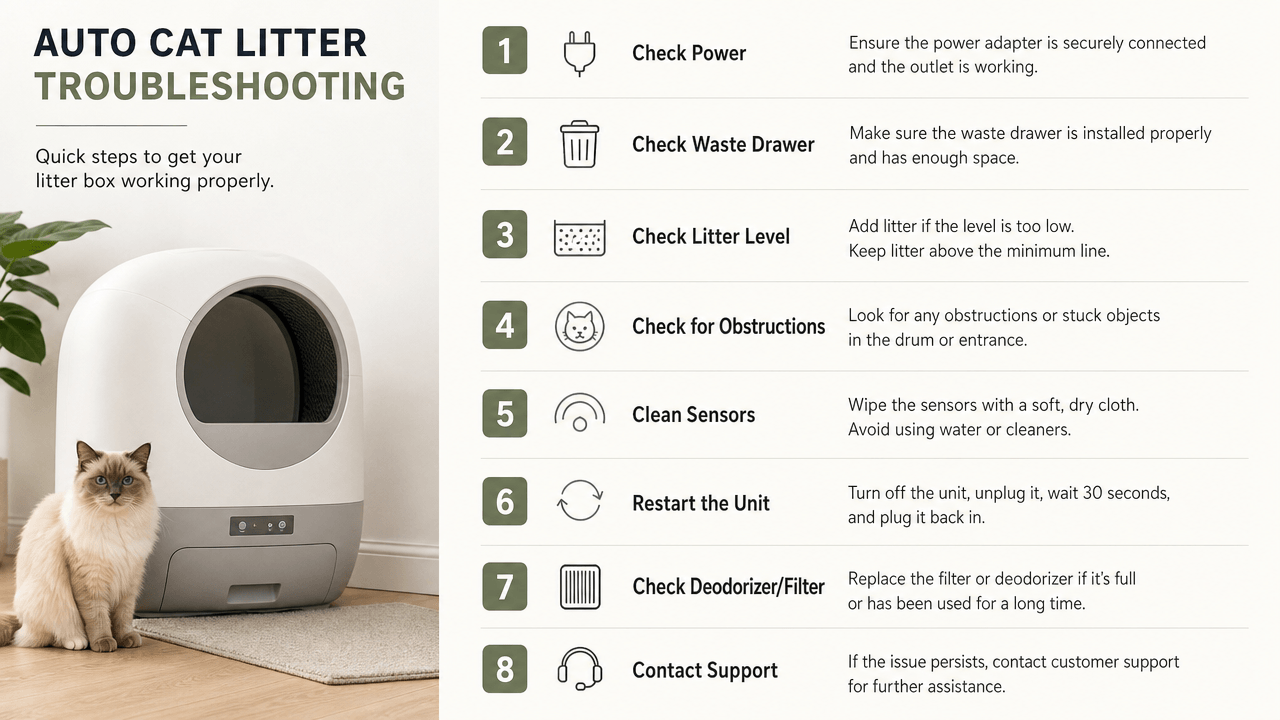
One widely-shared “troubleshooting guide” for this exact problem describes the PuraMax as “a popular pet water fountain.” It’s a self-cleaning litter box. If a guide can’t get the product category right, it’s not going to get the actual fix right either.
A petkit puramax sensor error fix that actually works has to come from people who’ve dealt with the real thing — which is why everything here is pulled from PETKIT’s own support forum and independent owner reports, not templated troubleshooting copy.
Quick Answer
| Symptom | Most Likely Cause | Try First |
|---|---|---|
| Sensor triggers mid-cycle with nothing there | Extra mat, uneven floor, or debris on the weight sensor | Remove any additional floor mat and check the unit is level |
| “Double-click OK” does nothing | Known software limitation on some units | Power cycle (off, then on) rather than relying on the OK prompt |
| Sensor error returns right after warranty expires | Common enough pattern that owners have flagged it directly to PETKIT | Document the timeline in case you need to escalate |
| Weight/scale seems off after adding a mat | The added mat changes the calibrated weight reading | Remove the mat, or recalibrate if the app allows it |
| Grinding, rust, or a “crumbled” part inside the drum | Physical hardware failure — a magnetic sensor or gear wheel | Not user-fixable; needs a replacement part or unit |
Table of Contents
- Why This Happens
- Fix 1: Remove the Extra Mat
- Fix 2: Check Level Placement
- Fix 3: The Power-Cycle Reset
- Fix 4: Reset the Side Weight Door
- Fix 5: Clean the Sensors Directly
- When It’s Not User-Fixable: Hardware Failure
- The Pattern Worth Knowing About
- What People Get Wrong
- Preventing It From Coming Back
- US / Australia / Singapore Notes
- The Bottom Line
Why This Happens
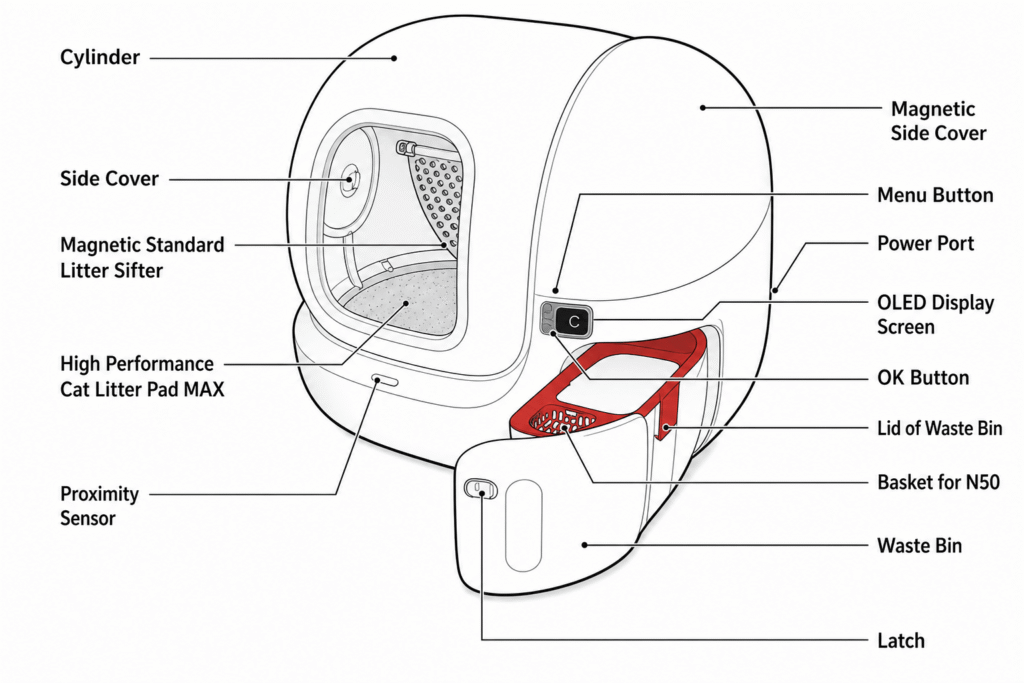
The PuraMax relies on a weight sensor and infrared detection working together to confirm the litter box is actually empty before starting a cleaning cycle. When either reading looks inconsistent — an unexpected weight change, an obstructed sensor, or a reading that doesn’t match what the unit expects — it stops and asks you to confirm nothing’s inside, the same safety behavior that’s supposed to stop the cycle if a cat steps back in. The problem owners report is this same safety trigger firing constantly with nothing actually there.
Fix 1: Remove the Extra Mat
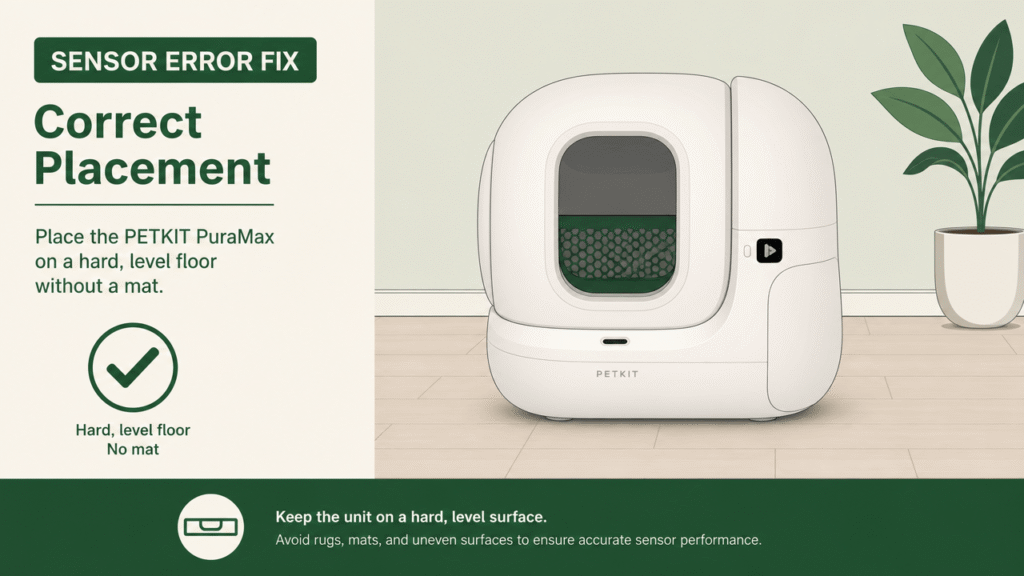
This is the single most-repeated fix across independent reports. one owner on PETKIT’s own support forum wrote plainly that removing the mat that came with the Pura Max fixed their cat-detection issues during the cleaning cycle. A separate owner on a European retailer’s Q&A thread confirmed the same root cause from the other direction: adding an aftermarket litter mat to protect their floor introduced the exact same sensor problem that wasn’t happening before.
The mechanism makes sense once you know it: the weight sensor calibrates against a specific baseline, and an added mat — especially a padded or textured one — changes that baseline just enough to confuse the reading. If you’re using any mat that didn’t ship with the unit, or even the original one, removing it entirely is the first thing to try before anything more involved.
Fix 2: Check Level Placement
multiple owners confirm that the unit needs to sit level and firmly on the floor, with adequate clearance from walls, for the weight sensor to read consistently — a soft or uneven surface, including carpet, is a common enough cause that it’s worth checking even if the floor looks flat to the eye. Move the unit to a hard, level surface, away from any wall, and run a full cycle before troubleshooting anything further.
Fix 3: The Power-Cycle Reset
the app’s on-screen prompt tells owners to double-click OK to confirm the box is empty, but several owners report this does nothing at all — the only thing that actually clears the error is powering the unit fully off, then back on, then running a manual cleaning cycle from the app. This isn’t officially documented as the fix, but it’s the most consistently reported workaround among owners dealing with the recurring version of this issue.
Fix 4: Reset the Side Weight Door
This one is less widely known but worth trying before assuming hardware failure. one owner traced their issue to the small circular weight door on the side of the unit — removing it and reseating it reset the scale calibration and resolved the false triggers. It’s a small, physical reset rather than a software one, which makes it easy to overlook if you’ve only been troubleshooting through the app.
Fix 5: Clean the Sensors Directly
Dust, litter residue, or a hair buildup directly on the infrared sensor window is a straightforward and often-overlooked cause. Power the unit off, wipe the sensor area with a soft, dry cloth (avoid liquid cleaners directly on the sensor), and power back on before testing a full cycle again. This is worth doing on a routine basis regardless of whether you’re currently having the problem, since gradual buildup is a common precursor to the issue starting in the first place.
When It’s Not User-Fixable: Hardware Failure
If the fixes above don’t resolve it, there’s a real physical failure mode worth knowing about rather than continuing to troubleshoot indefinitely. one detailed owner report traced their unit’s persistent false-triggering to a magnetic sensor on the drum cover — which also functions as part of the gear mechanism — that had physically rusted and crumbled apart. That’s not something cleaning or resetting fixes — it needs a replacement part or a warranty replacement unit.
This matters because PETKIT’s own support forum shows a pattern of owners reporting the exact same sensor issue with no fix offered beyond repeating the same troubleshooting steps, sometimes on a unit that’s already been replaced once for the identical problem. If you’ve genuinely tried the mechanical fixes above and the error keeps returning, treat it as a hardware issue and pursue a warranty claim rather than repeating the same troubleshooting cycle indefinitely.
The Pattern Worth Knowing About
This is worth being direct about, since it changes how urgently you should act if the error keeps recurring. One Trustpilot review describes a PuraMax purchased for $670 that was replaced once already for this exact sensor issue — and the replacement unit failed again roughly a year and a half later, this time with the drum failing to stop rotating for hours, undetected until the owner reviewed home security footage. The review states the cat was “almost maimed” as a result.
That’s a single account, and most sensor-error cases resolve with the fixes above and never escalate anywhere near that. But it’s a real, documented outcome from the same underlying fault pattern, which is exactly why we’re not treating a recurring sensor error as a minor annoyance to just live with. If the error keeps returning after a genuine attempt at the fixes above, don’t run unattended cleaning cycles on that unit until it’s repaired or replaced.
What People Get Wrong
The most common mistake is treating every instance of this error as a software glitch that a firmware update will eventually fix. Some cases genuinely are software-related and resolve with an update or a power cycle; others are a physical part failing, and no amount of app troubleshooting resolves a rusted gear component. Telling the two apart early — by working through the mechanical fixes above before assuming it’s fixable — saves weeks of repeating the same unsuccessful steps.
The second mistake is assuming a mat is a harmless, purely protective addition. For most machines that’s true; for this one, an added mat is one of the most frequently reported causes of the exact problem you’re trying to solve.
Preventing It From Coming Back
Skip aftermarket mats under the unit entirely if you’ve had this problem before, even ones marketed as compatible. Clean the sensor area on a regular schedule rather than waiting for symptoms to start. Keep the unit on a hard, level, stable surface away from walls, and avoid moving it frequently once it’s calibrated in a spot, since each move is a chance for the weight baseline to shift.
PETKIT PuraMax Sensor Error Fix: US / Australia / Singapore Notes
United States: PETKIT’s US support and warranty process is generally reachable through the app and petkit.com directly; document your case with photos or video from the first report, since repeat troubleshooting requests are a common complaint pattern.
Australia: Documented cases include units purchased through Australian retailers like Petbarn experiencing this exact issue, including at least one unit replaced once and failing again roughly 18 months later — keep your original purchase receipt accessible, since a second warranty claim is more likely to require it than a first one.
Singapore: The same mechanical causes apply regardless of region — check mat use and floor levelness first, since these are universal fixes unrelated to your specific electrical or retail market.
The Bottom Line
Most petkit puramax sensor error cases resolve with one of the first three fixes here — removing an added mat, checking level placement, and a proper power cycle account for the large majority of real owner reports. If those don’t work, check the side weight door before assuming the worst. If the error keeps returning after genuinely trying all of this, treat it as a hardware issue rather than a puzzle to keep solving yourself, and don’t leave a unit with a recurring, unresolved sensor fault running unattended.
If you like this post, you might like our other post => Litter-Robot Alternative Under $400 That Actually Works
Sources Referenced
Editorial and community sources (linked):